

wIn the digital age, quickly finding out “Where Am I RN” is essential for navigation, safety, and convenience. Whether you’re exploring a new city, coordinating with friends, or verifying your exact position, tools like Google Maps, GPS, and IP-based services make it easier than ever to answer this question. This guide dives into how geolocation technology works, tools to use, and advanced tips to optimize accuracy while safeguarding your privacy.
Let’s explore everything you need to know about finding your location in real-time.
How Does “Where Am I RN” Technology Work?
Geolocation technologies use a combination of tools and data to determine your current position. Here’s how they work:

- GPS (Global Positioning System): GPS calculates your position using satellite signals, providing accurate latitude and longitude coordinates. It’s ideal for outdoor locations.
- Wi-Fi Positioning: In urban areas, devices detect nearby Wi-Fi networks to estimate your location, especially useful indoors where GPS might not work well.
- Cell Tower Triangulation: Mobile networks locate devices by analyzing signals from nearby towers, offering approximate location data.
- IP-Based Geolocation: Online tools use your IP address to determine your region or city. While less precise than GPS, it’s effective for general location tracking.
These technologies combine to answer “Where Am I RN” with high accuracy and efficiency.
Tools to Instantly Find “Where Am I RN”
1. Smartphone Apps
Smartphones offer the fastest way to determine your real-time location:
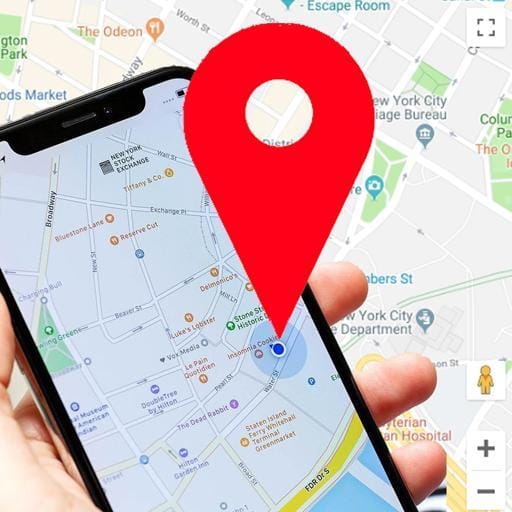
- Google Maps (Android & iOS):
- Open the app and tap the blue dot indicating your current position.
- Google Maps will display your exact address and nearby landmarks, making it easy to answer “Where Am I RN.”
- Apple Maps (iOS):
- Open the Maps app and locate the blue dot.
- Tap it to see your current address and additional details about your surroundings.
- Voice Assistants: Ask Siri or Google Assistant, “Where Am I RN?” They will respond with your address and display a map of your location.
2. Online Location Tools
Several websites can help you quickly determine “Where Am I RN”:

- Where-Am-I.co: Displays your location on a map with GPS coordinates and address details.
- WhatIsMyIPAddress: Provides geolocation based on your public IP address.
- My Location: Offers a real-time map showing your position and detailed information about your location.
3. Wearable Technology
Smartwatches and fitness trackers offer convenient, hands-free geolocation:

- Apple Watch: Pair it with an iPhone and open the Maps app. The blue dot indicates your position, helping you answer “Where Am I RN” instantly.
- WearOS Devices: Google Maps is integrated into Android watches, allowing you to view your location in real-time.
Applications of “Where Am I RN” in Daily Life
Knowing your location isn’t just for navigation; it has several practical applications:
- Emergency Situations: Share your precise location with first responders using mapping apps or location-sharing tools.
- Meeting Friends or Family: Use live location sharing to guide others to your exact spot, perfect for crowded areas or large venues.
- Travel and Exploration: Easily find nearby attractions, restaurants, or services using geolocation tools.
- Rideshare and Deliveries: Providing accurate location data ensures that drivers and delivery personnel can find you without delays.
- Real Estate and Field Work: Professionals can use location tools to document addresses or plan routes efficiently.
Enhancing the Accuracy of “Where Am I RN”
To ensure you get the most accurate location data, follow these tips:
- Enable High Accuracy Mode
On smartphones, set your location mode to High Accuracy to combine GPS, Wi-Fi, and cellular data for better precision. - Connect to Wi-Fi
Even if you’re not actively using Wi-Fi, having it enabled helps mapping apps detect your position indoors. - Download Offline Maps
For areas with poor connectivity, download offline maps in advance. GPS will still track your location even without internet access. - Use External GPS Devices
Hikers and outdoor enthusiasts can pair external GPS devices with their smartphones for better accuracy in remote locations. - Update Mapping Apps
Ensure your apps are up-to-date to benefit from the latest geolocation improvements.
Privacy and Security Concerns for “Where Am I RN”
While location tools are incredibly useful, they can also pose privacy risks. Here’s how to protect your data:
- Limit App Permissions: Only allow location access for trusted apps. Review your permissions regularly to ensure apps aren’t collecting unnecessary data.
- Disable Location History: Prevent Google or Apple from saving your location history by turning off this feature in your account settings.
- Use Incognito Mode: Google Maps offers an Incognito Mode to prevent searches and locations from being saved.
- Hide Your IP Address: Use a VPN to mask your IP and prevent websites from tracking your approximate location.
- Be Cautious When Sharing Location: Use temporary sharing options to limit who can see your location and for how long.
Troubleshooting “Where Am I RN” Issues
If you experience problems finding your location, try these solutions:
1. My Location is Inaccurate
- Move to an open area where GPS signals are stronger.
- Enable Wi-Fi to improve indoor accuracy.
2. The App Can’t Detect My Location
- Ensure location services are enabled in your device settings.
- Restart your phone or the app to refresh GPS data.
3. My Location Shows the Wrong City
- Check if you’re using a VPN or proxy, as they can reroute your IP address to a different region.
4. The Map Isn’t Loading
- Confirm you have an active internet connection.
- Switch to offline maps if you’re in an area with poor connectivity.
Advanced Features for “Where Am I RN” Tools
Explore these advanced geolocation features to get the most out of your location tools:
- Saved Locations: Label frequently visited places like “Home” or “Work” for quick access.
- Live Location Sharing: Share your real-time location with trusted contacts for a limited time.
- Traffic and Transit Updates: Use live traffic data to optimize your route and avoid delays.
- Integration with Smart Devices: Pair location tools with smart home devices for enhanced automation, such as location-based reminders.
- Augmented Reality Navigation: Some apps, like Google Maps, offer AR navigation to guide you with visual overlays in real-time.
How to Use “Where Am I RN” for Location Sharing
Knowing “Where Am I RN” is not only helpful for personal navigation but also plays a crucial role in sharing your real-time location with others. Whether you’re coordinating with friends, ensuring safety during travel, or directing delivery services, live location sharing simplifies communication and avoids confusion in critical moments.
1. Sharing Location on Google Maps
Google Maps provides a built-in feature for sharing live locations, which is particularly effective for real-time tracking:
- Open the app and tap the blue dot (representing your location).
- Select Share Your Location from the menu options that appear.
- Choose the duration for which you want to share your live location.
- Share your location link via apps like WhatsApp, SMS, or email, allowing recipients to track your movements.
- The live location updates automatically as you move, making it ideal for meetups or safety monitoring.
2. Location Sharing on Apple Maps
Apple Maps also allows you to share your current location quickly and securely:
- Open Apple Maps and find the blue dot marking your position.
- Swipe up on the menu to see options and tap Share My Location.
- Send your location via Messages, Mail, or other supported apps, providing precise updates for coordination.
3. Location Sharing for Safety
Geolocation tools integrate well with safety-focused apps:
- Find My (iOS): Allows family members or trusted friends to monitor your live location at all times for added safety, especially during solo travel or outings.
- Google Family Link: Enables parents to check children’s real-time locations for peace of mind.
- Ride-Sharing Apps: Apps like Uber or Lyft automatically share your “Where Am I RN” position with drivers and let you send trip details to emergency contacts.
4. Temporary Location Sharing for Privacy
If you’re cautious about maintaining privacy but still need to share your real-time location temporarily:
- Use platforms like WhatsApp to share live location updates with a set time limit (e.g., 15 minutes or 1 hour).
- Social media apps like Snapchat or Messenger offer temporary location-sharing options that automatically expire, ensuring short-term visibility without ongoing tracking.
Key Takeaway:
Real-time sharing of your “Where Am I RN” position is a valuable tool for coordination and safety, especially during critical situations or group activities. Always ensure your location-sharing permissions are limited to trusted individuals to protect your privacy and security effectively.ing features responsibly, ensuring your privacy by limiting access to trusted contacts only.
Frequently Asked Questions About “Where Am I RN”
Q1: Can I find my exact address with “Where Am I RN”?
A: Yes, tools like Google Maps and Apple Maps provide detailed addresses along with coordinates.
Q2: How accurate is GPS for answering “Where Am I RN”?
A: GPS is highly accurate outdoors, often within 5–10 meters. Indoor accuracy may depend on Wi-Fi and cellular signals.
Q3: Can I use “Where Am I RN” tools offline?
A: Yes, by downloading offline maps in advance, you can use GPS to track your position without internet access.
Q4: How do I share my live location?
A: Both Google Maps and Apple Maps allow you to share your location in real time through messaging apps or email.
Q5: Is my location data saved by default?
A: Yes, unless you disable location history in your account settings.
Resources and Further Reading
- Google Maps Help Center: Learn more about navigation features.
- Apple Maps User Guide: Explore Apple Maps tools and settings.
- What Is My IP: Discover geolocation insights based on your IP.
- My Location: A simple tool to find your position and address.


