
The question “Where Am I” arises in various scenarios, whether you’re lost in an unfamiliar area, coordinating with friends, or simply curious about your current location. Thanks to modern technology, answering this question has become straightforward, with GPS, mapping tools, and location-based apps at your disposal.
In this expanded guide, we’ll explore how technology determines your location, the best tools available, practical uses, privacy considerations, and troubleshooting tips, giving you everything you need to answer “Where Am I” confidently.

The Technology Behind “Where Am I”
Understanding how location services work can demystify the tools you use daily:
1. GPS (Global Positioning System)
GPS relies on satellites orbiting the Earth to triangulate your exact position. By calculating the distance between your device and multiple satellites, GPS can pinpoint your location with incredible accuracy, often within a few meters.
- Advantages: Works globally, highly accurate outdoors.
- Limitations: May be less effective in dense urban areas or indoors where signals can be obstructed.
2. Wi-Fi Positioning
In urban environments, where Wi-Fi networks are abundant, devices can detect nearby Wi-Fi signals to estimate your location. This method is faster than GPS and works well indoors.
3. Cellular Network Triangulation
Mobile networks calculate your position by analyzing signals from nearby cell towers. This method provides a broader estimate compared to GPS but is useful when Wi-Fi or GPS signals are unavailable.
4. IP Address-Based Geolocation
For devices connected to the internet, websites can determine your approximate location based on your IP address. While less accurate, this method is sufficient for city-level tracking.
Tools to Determine “Where Am I”
1. Smartphone Applications
Smartphones are equipped with a range of tools to find your location:
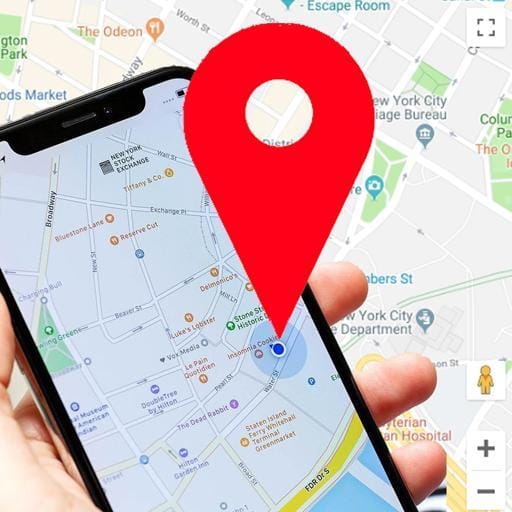
- Google Maps:
- Open the app and tap the blue dot to see your current position.
- Provides detailed information, including your address, coordinates, and nearby landmarks.
- Apple Maps:
- Tap the blue dot to reveal your exact location and directions to nearby destinations.
- Voice Assistants:
- Ask Siri or Google Assistant, “Where Am I?” to get instant results, often accompanied by a map view.
2. Browser-Based Tools
For desktops and laptops, web-based services offer location detection:
- Where-Am-I.co: Displays your position on a map along with GPS coordinates.
- My Location: Provides real-time location information using browser permissions.
3. Dedicated Devices
Standalone GPS devices, like those from Garmin or TomTom, provide reliable location tracking, especially useful in remote areas where smartphone coverage may be limited.
Practical Applications of “Where Am I”
The ability to determine your location is valuable across various domains:
1. Navigation and Travel
- Quickly find your position in unfamiliar cities.
- Access turn-by-turn directions to explore new places confidently.
2. Emergency Response
- Share your precise coordinates with emergency responders for faster assistance.
- Apps like What3Words divide the world into 3-meter squares, assigning a unique identifier to each square for precise communication.
3. Event Coordination
- Use location-sharing features in apps like Google Maps to help friends or family locate you during events.
4. Localized Services
- Apps like Yelp or Uber Eats use your location to recommend nearby restaurants, stores, or delivery options.
Advanced Features in Location Tools
Modern apps and devices offer features beyond basic location tracking:

- Live Location Sharing
- Apps like Google Maps and WhatsApp allow you to share your location in real time with trusted contacts.
- Augmented Reality Navigation
- AR overlays directions onto your device’s camera view, making navigation more intuitive.
- Integration with Smart Devices
- Smartwatches and home assistants can sync with location services to automate tasks like adjusting your thermostat when you’re home.
Expanding “Where Am I” to Accessibility Tools
For individuals with disabilities or those who need additional assistance, location services addressing “Where Am I” can be a game-changer. These tools enhance accessibility and empower users in their daily activities.
1. Voice-Activated Navigation
- Features: Voice assistants like Google Assistant, Alexa, and Siri provide step-by-step navigation by responding to voice commands such as “Where am I?”
- Use Cases: Beneficial for visually impaired individuals who rely on auditory guidance for navigation.
- Example: Apps like Soundscape by Microsoft use 3D audio cues to help users visualize their surroundings.
2. Indoor Mapping for Accessibility
- Features: Apps such as GoodMaps provide detailed indoor navigation, helping users find their way through airports, malls, and hospitals.
- Use Cases: Ideal for wheelchair users or individuals with mobility challenges.
3. Emergency Assistance Integration
- Features: Devices like Apple Watch automatically share your location with emergency contacts during a fall or distress signal.
- Use Cases: Ensures that responders can find users quickly in emergencies, regardless of their exact position.
Future of Location Services: Advancements in “Where Am I”
As technology evolves, location services will become even more sophisticated, addressing limitations and unlocking new possibilities.
1. AI-Powered Location Intelligence
- Description: Artificial intelligence will enhance the accuracy and context of location services, providing predictive suggestions for nearby resources and activities based on user preferences.
- Example: AI could preemptively suggest alternative routes during commutes based on real-time traffic and weather conditions.
2. Satellite Enhancements
- Description: With advancements in satellite technology, services like GPS will offer millimeter-level accuracy, improving applications like autonomous driving and drone delivery.
- Example: The integration of next-generation satellites into GPS networks will reduce signal delays and improve reliability in remote areas.
3. Immersive AR Experiences
- Description: Augmented reality (AR) will merge real-world views with virtual overlays, transforming navigation into a seamless and interactive experience.
- Example: Travelers could use AR glasses to view translations of local signs and directions in real time.
Troubleshooting Location Issues
1. Location Services Not Working

- Ensure location services are enabled on your device.
- Check for updates to your apps or operating system.
2. Inaccurate Location Data
- Move to an open area to improve GPS accuracy.
- Restart your device to refresh GPS and location permissions.
3. Browser Location Not Detected
- Grant location access when prompted by your browser.
- Clear cookies and cache to reset location settings.
Privacy and Security Considerations
While location services are incredibly useful, they can pose privacy risks. Here’s how to protect yourself:
- Manage Permissions
- Only grant location access to trusted apps and revoke permissions for those you no longer use.
- Use Incognito Mode
- For temporary location tracking, use incognito mode in your browser to prevent data storage.
- Enable VPNs
- A Virtual Private Network masks your IP address, protecting your location from being tracked.
Case Study: “Where Am I” in Emergency Scenarios
During emergencies, location services become critical. For instance, during Hurricane Katrina, GPS-enabled tools allowed responders to locate stranded individuals in remote areas. Similarly, apps like Google Maps provide evacuation routes and real-time traffic updates during crises.
Expanding Applications: “Where Am I” for Businesses
Businesses also leverage location services to optimize operations:
- E-Commerce: Personalized recommendations based on customer location.
- Delivery Services: Precise drop-off points for couriers.
- Marketing Campaigns: Geofencing techniques to target customers in specific regions.
Enhancing Privacy While Using “Where Am I” Tools
Location tracking tools are incredibly useful, but they also raise concerns about data privacy and security. As you use “Where Am I” services, it’s important to take steps to protect your personal information.
1. Minimizing Location Data Sharing
- Adjust Permissions: Only allow location access for apps that you trust and use frequently. Disable location tracking for apps that don’t need it.
- Use Temporary Permissions: Many smartphones now offer the option to grant location access only while an app is in use.
2. Leveraging Privacy-Focused Tools
- VPN Services: Virtual Private Networks (VPNs) can mask your IP address, ensuring that websites and apps cannot determine your exact location through your IP.
- Privacy-First Apps: Opt for apps with clear and transparent data policies, such as DuckDuckGo’s location tools.
3. Reviewing Your Location History
- Periodically review and delete your location history in apps like Google Maps or your device settings.
- Turn off location history to prevent apps from storing long-term data about your movements.
4. Avoiding Public Wi-Fi Networks
- When using public Wi-Fi, your location and other personal information can be intercepted. Use secure networks or a VPN to protect your data.
The Cultural Impact of “Where Am I”
The phrase “Where Am I” has grown beyond a practical question into a cultural phenomenon, reflecting our dependence on technology and the changing ways we interact with the world.
1. Dependence on Technology
- Description: Modern life has made location services almost indispensable. From navigation to finding restaurants, many people now rely on GPS and apps for even routine tasks.
- Example: Studies show that over 80% of smartphone users use location-based services regularly, underscoring the significance of this technology.
2. Representation in Media
- Description: The question “Where Am I” is often dramatized in movies and literature, symbolizing self-discovery or confusion. It reflects both physical and emotional journeys.
- Example: In popular films like The Bourne Identity, the protagonist frequently asks questions about his location as part of unraveling his identity.
3. Shaping Future Interactions
- Description: As augmented reality (AR) and artificial intelligence (AI) become more integrated, the way we perceive and interact with our surroundings will change dramatically.
- Example: AR-based location apps are already transforming navigation, blending digital data with the physical world for an immersive experience.
Frequently Asked Questions About “Where Am I”
Q1: How do I find my location without the internet?
A: Offline maps, such as those offered by Google Maps, use pre-downloaded data and GPS to provide accurate location tracking without an active connection.
Q2: Are location services free to use?
A: Most tools, including Google Maps and Apple Maps, are free. However, some advanced features in navigation apps may require subscriptions.
Q3: Can I disable location tracking temporarily?
A: Yes, you can disable location services in your device settings or use airplane mode to stop tracking temporarily.
Q4: What’s the difference between GPS and Wi-Fi-based tracking?
A: GPS relies on satellites for pinpoint accuracy, while Wi-Fi-based tracking uses nearby networks to estimate your location.
Q5: Can I track someone else’s location?
A: Only with their consent, through tools like Google’s location sharing or Apple’s Find My app.
Resources and Further Reading
- Google Maps Help: Learn about advanced navigation features.
- Apple Maps Guide: Explore location services for iOS devices.
- What3Words: Discover a unique way to share locations globally.


